THE ATRIUM
One home for every client.
Keep plans, documents, conversations and galleries together in Atrium, your private client portal.
THE ZAIYA DIFFERENCE
Manage your studio, plan with your clients and deliver your work in one place.

A CLOSER LOOK
Scroll across to compare all four platforms →
| Features | zaiyaStudio & client experience | HoneyBookService businesses | PixiesetPhotography suite | Studio NinjaPhotography CRM |
|---|---|---|---|---|
| Contracts & invoices | Proposals, signing & payments | Proposals, signing & payments | Quotes, signing & payments | Quotes, signing & payments |
| Client, planner & collaborator portal | Role-based Atrium access | |||
| Gallery delivery | Built-in galleries | Client Gallery product | Gallery integrations | |
| Shared wedding timeline | Couple, planner & studio | |||
| Collaborative moodboards | Shared references & comments | |||
| Automated workflows | Stage & date triggers | Workflow automation | Client reminders | Custom workflows |
| Connected AI: studio | Your AI assistant | ChatGPT & Claude | ||
| Connected AI: client portal | Clients’ AI via Atrium Pass | |||
| Built-in business AI | Business reviews & drafts | Email drafts & project recaps |
WHY STUDIOS CHOOSE ZAIYA
THE ATRIUM
Keep plans, documents, conversations and galleries together in Atrium, your private client portal.
SHARED WEDDING PLANNING
Build a timeline with the couple and planner. Your studio controls access, reviews changes and confirms the final plan.
CONNECTED AI ASSISTANTS
Connect your assistant to approved studio information. Clients can connect theirs through Atrium Pass. Access is read-only and revocable.
MEET THE ATRIUM
A clear next step, the latest plan and their finished photographs, all within reach.
Explore Atrium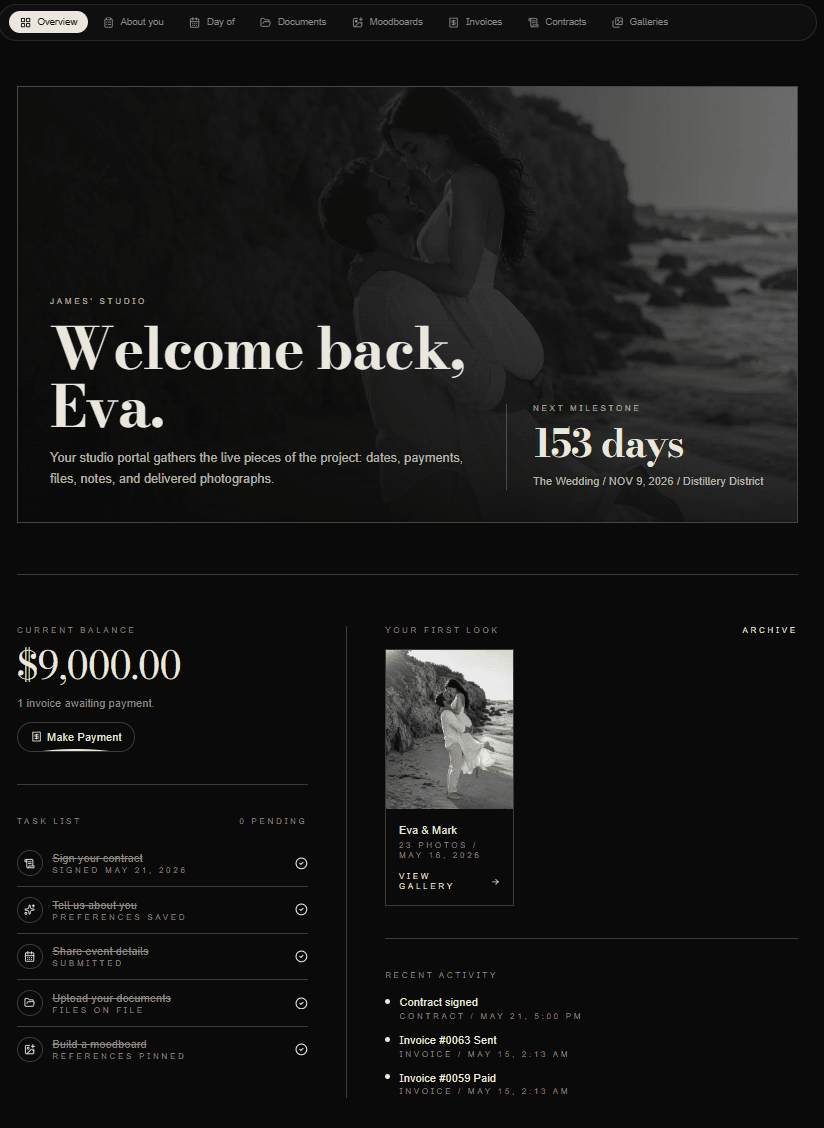
BEFORE YOU DECIDE
Yes. From a client’s Atrium card, choose Invite guests and assign a planner or other collaborator role. Your studio controls what each guest can view, edit or discuss. Guests use their own invitation and access; they do not need a studio team account.
Owners and admins connect compatible assistants in Settings → Integrations → AI connector. When your studio enables client access, clients create an Atrium Pass in their portal’s Connected access area. Client passes share permitted project context, excluding internal notes, contact details, package prices and private planner relationships. Connections cannot change records, send messages, pay or sign. Revoking access stops future requests; it cannot erase information already retrieved.
Yes. Link external galleries in Zaiya or use built-in hosted galleries. Hosted storage depends on your membership.
Storage, team seats and AI allowances vary. Every membership includes Atrium and collaborative moodboards. Founder includes unlimited hosted-gallery storage; Studio includes 1TB and House includes 3TB. See Membership for current details.
Create an account and choose Founder, Studio or House; your workspace opens after payment confirmation. For migration advice or a Bespoke quote, book a private walkthrough. Migration scope is agreed individually.
SEE ZAIYA IN ACTION
Explore Zaiya with your studio’s needs in mind.
Book a private walkthrough